(Plugins)
Built in my own sessions
I build tools when the ones I pay for slow me down. These are five of them, for anyone writing music to picture. All five run on Mac, and Stage One, Temp Crush and Coach Fill Jaxson have a Windows beta.
The plugins
Stage One
Gain stage a track in one click, and it stays put when you reopen the project.
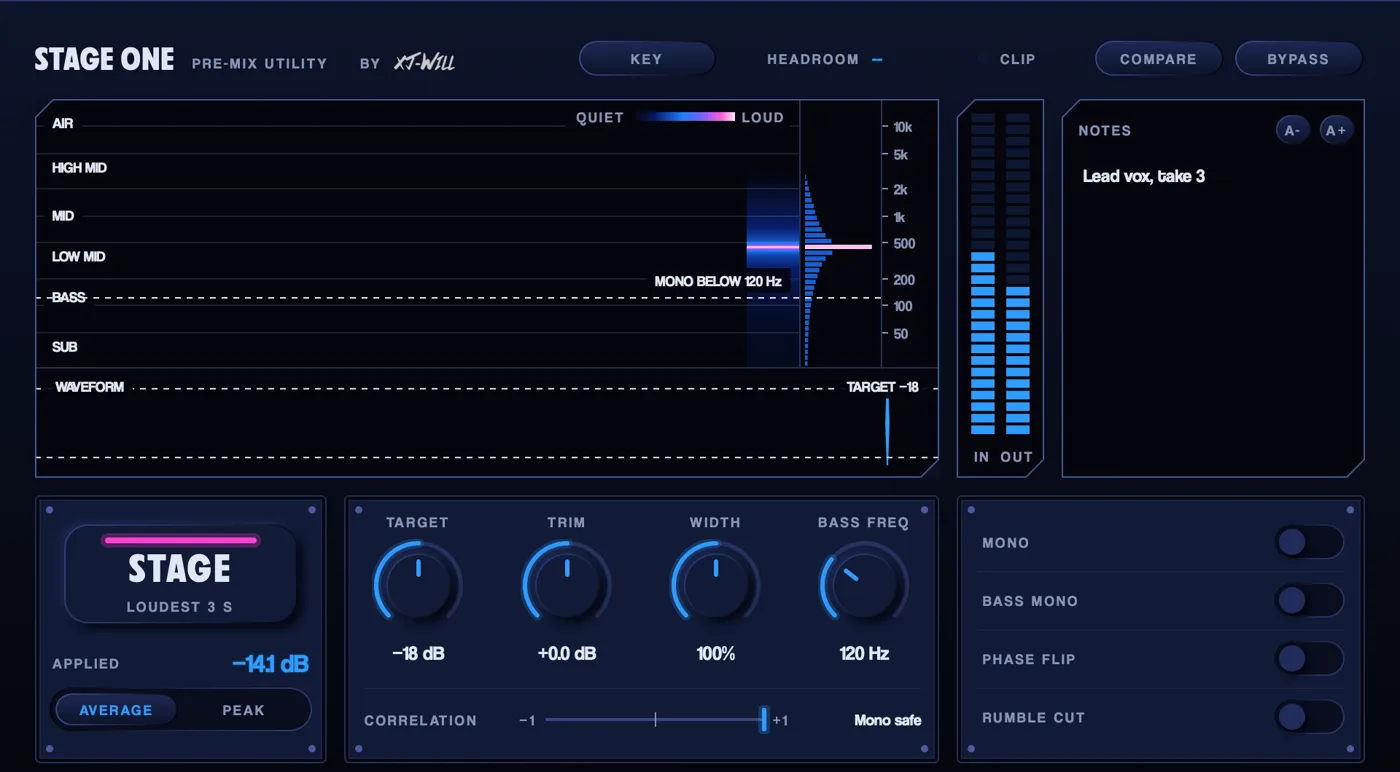
Play your track, click STAGE, and the gain lands on your target, by average level or by peak. I built it because my old gain stager reset itself every time I reopened a session. Stage One saves the gain with your project.
Mac (Apple Silicon or Intel): VST3 and AU, plus a Max for Live device. Windows: VST3 beta. One license key, 2 computers.
Temp Crush
See exactly where your track doesn't match the temp.
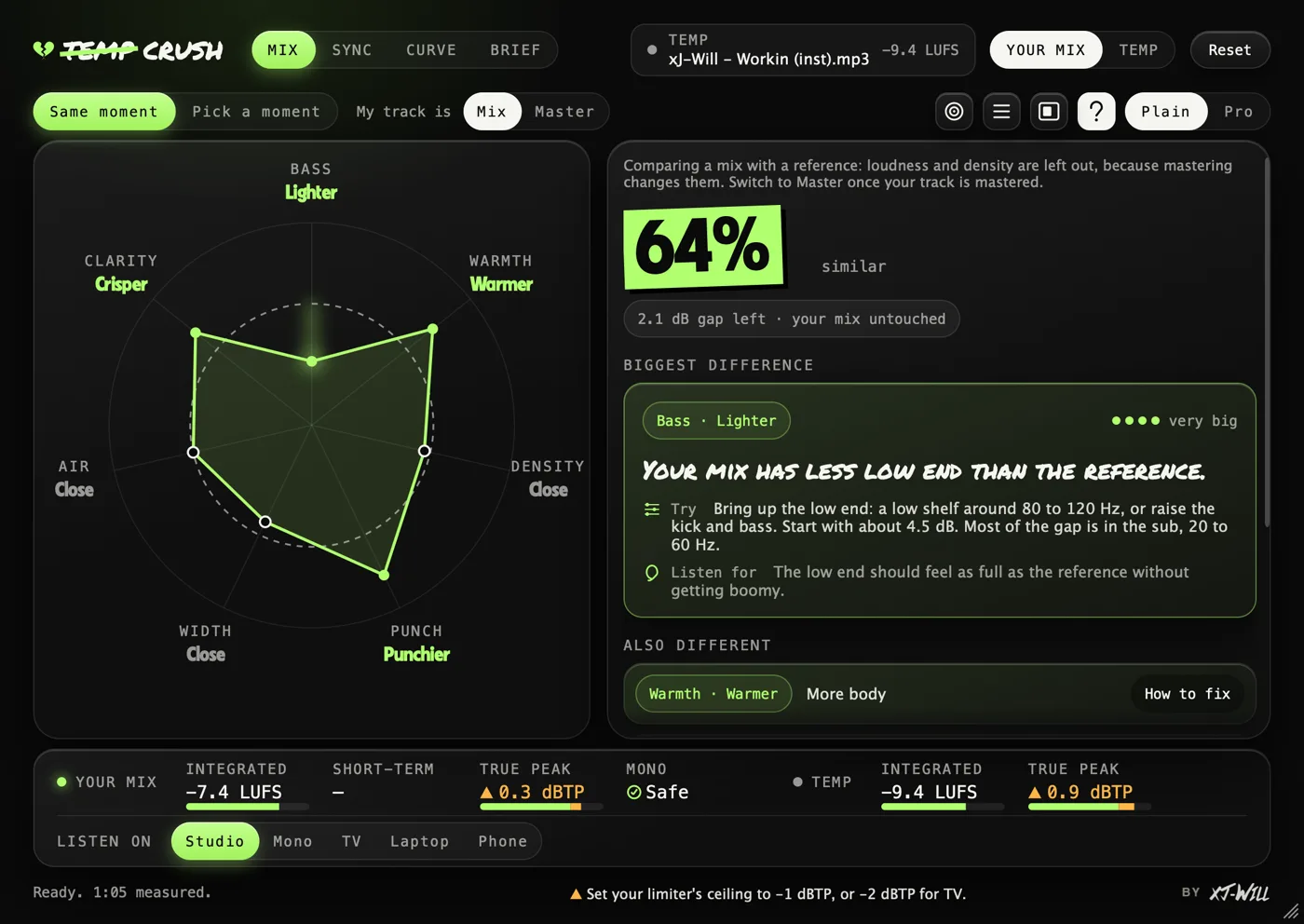
Put it last on your master, drop in the temp track the editor cut to, and play. It compares tempo, key, low end, width, punch, how the energy builds and the room you leave for dialogue. It matches loudness by moving the temp, never your mix.
Mac (Apple Silicon or Intel): VST3 and AU. Windows: VST3 beta. One license key, 2 computers.
Segue
Grab a vocal, mark the word, drag a finished transition into your session.
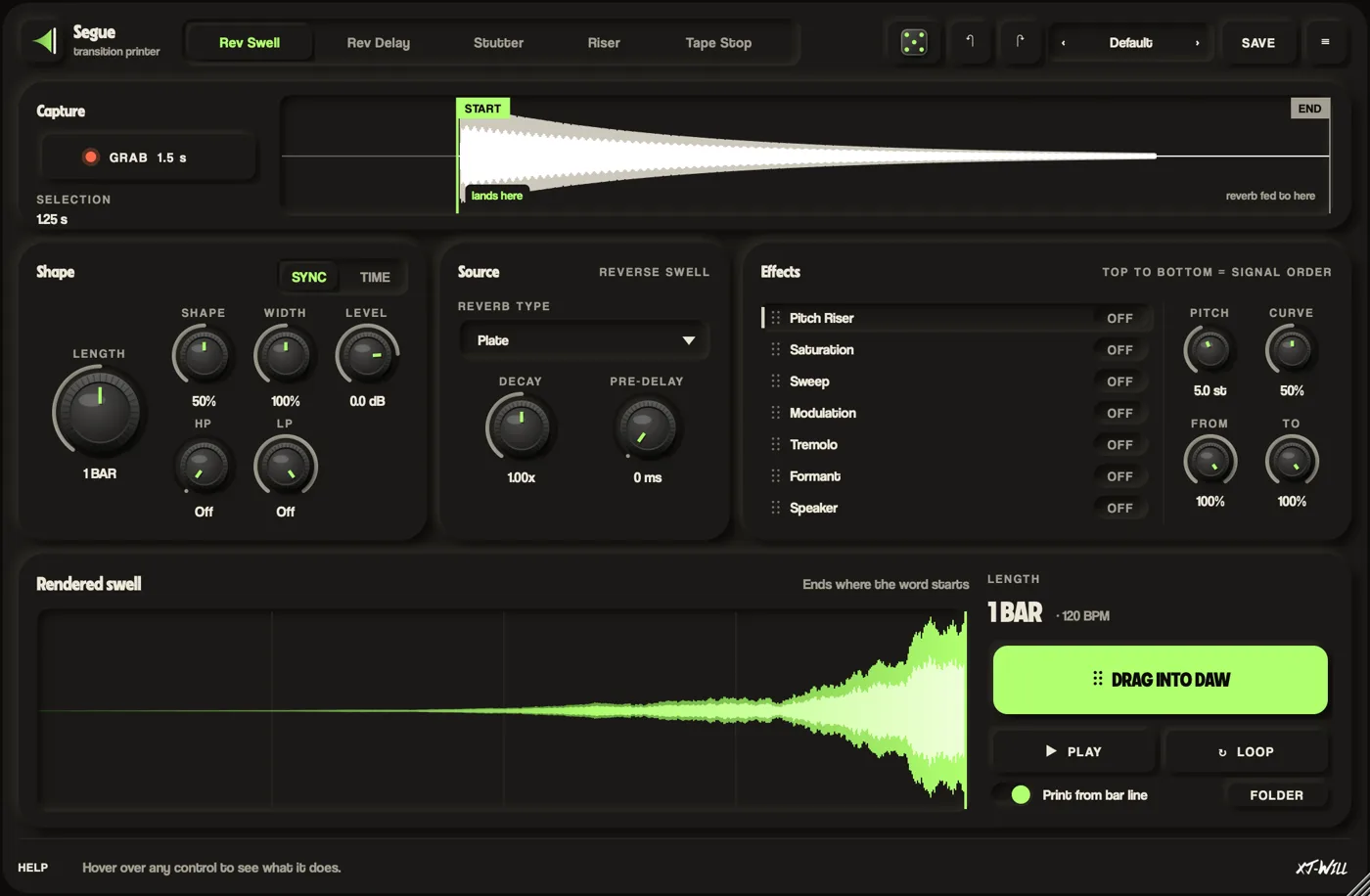
Five kinds of transition: reverse swell, reverse delay, stutter, tape stop and riser. Put the marker on the word the swell should land on and drag it onto a new track. It tells you which bar to drop it on, and the end hits your word.
Mac only (Apple Silicon or Intel): VST3 and AU. One license key, 2 computers.
$49
Buy SegueLayer Factory
Roll new sound design layers from your own sample library.
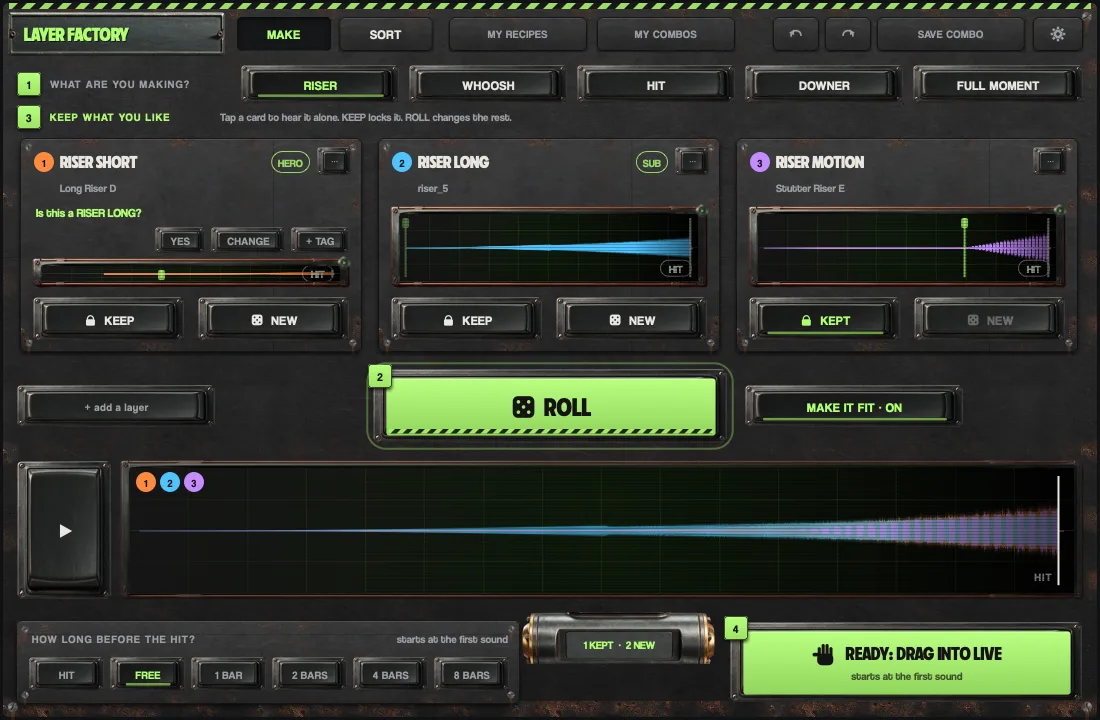
Point it at your folders. It sorts your one-shots, then builds a layered hit, riser or impact, each layer lined up, level-matched and cut to bars. Lock the layers you like, roll the rest, drag the result in. Your samples never leave your Mac.
Mac only (Apple Silicon or Intel): VST3 and AU. One license key, 2 computers.
Coach Fill Jaxson
Turn one bar of your drum loop into a fill that leads into the next bar.
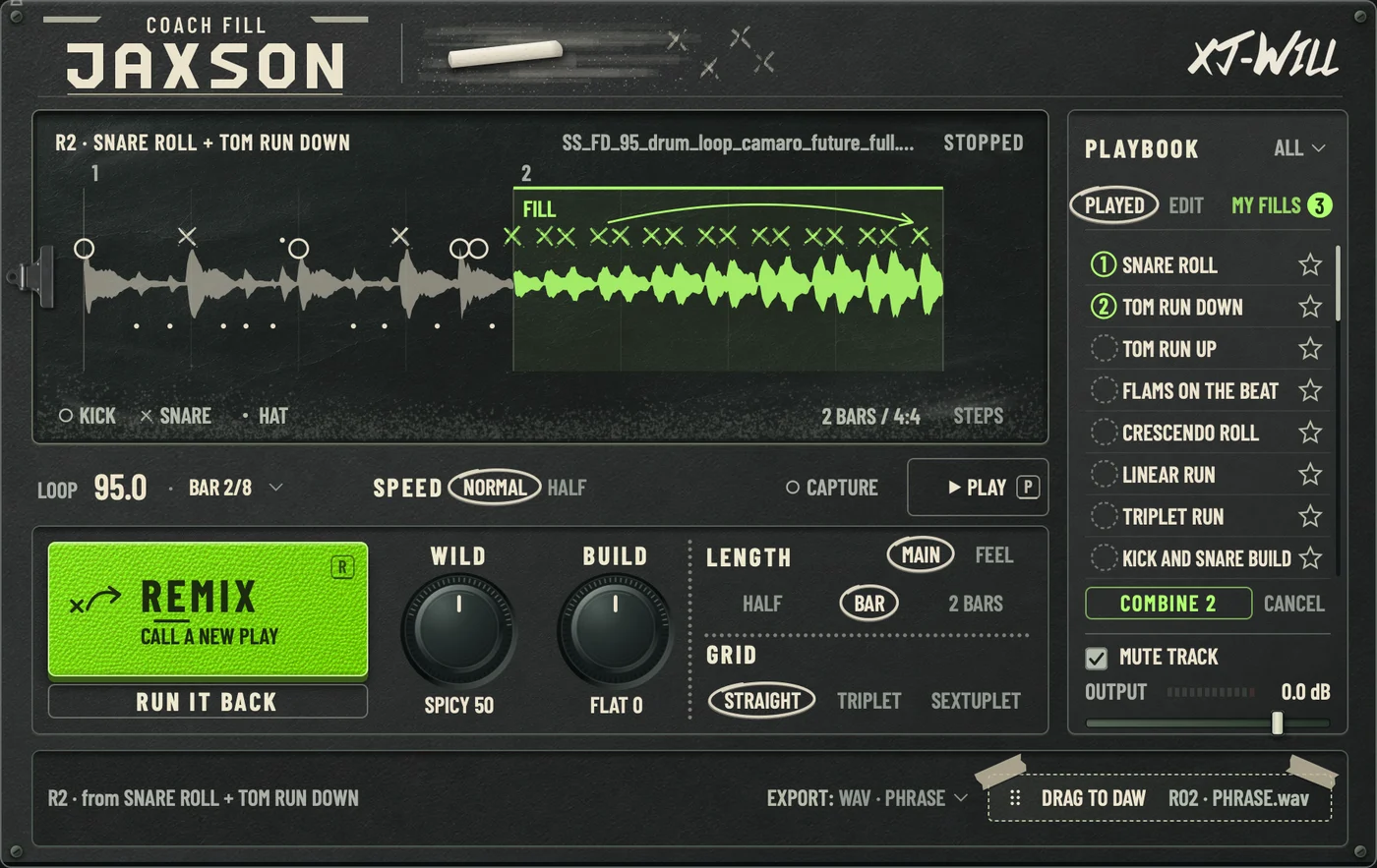
Drop in a drum loop, or record one from your track, and press REMIX. You get a new fill made from your own drum sounds, so it matches your kit. It won't repeat a fill until it has used them all. Turn WILD up for crazier fills. BUILD makes the fill get louder or softer. Then drag it into your song as audio, MIDI notes, or one file per drum.
Mac (Apple Silicon or Intel): VST3 and AU. Windows: VST3 beta. One license key, 2 computers.
(The bundle)
All 5 plugins
Stage One, Temp Crush, Segue, Layer Factory and Coach Fill Jaxson. One key opens all five, and it works on 2 computers. On Mac you get all five. The Windows beta has Stage One, Temp Crush and Coach Fill Jaxson.
$199
$112 less than buying them one by one.
Get all 5 plugins(How it works)
Three steps
Buy
Pick one plugin or all five. Checkout runs through Polar.
Paste the key from your email
Polar emails your license key right away. Open the plugin and paste it in.
Make music
Load it in any DAW that runs VST3 or AU, and get back to the session.
(FAQ)
Questions
What do I need to run them?
A DAW that loads VST3 or AU plugins. All five run on Mac, Apple Silicon or Intel. Stage One, Temp Crush and Coach Fill Jaxson also have a Windows VST3 beta. There's no AAX version.
How many computers can I use?
Each key works on 2 computers. Got a new one? Free up the old one yourself in Polar's customer portal, then paste the key on the new one.
When do I get my key?
Right away. Polar emails it to you as soon as checkout goes through.
Do updates cost extra?
No. Updates are free.
I'm in the Sync Alliance. Do I need to buy these?
No. Sync Alliance members already get all five.
Can I get a refund?
All sales are final, so read the details above before you buy.
Something isn't working. Who do I talk to?
Email info@behrproductions.com. Tell me which plugin, your DAW and your Mac or Windows version.